For architects
Your design leads.
The engineering follows.
The hours you are rarely paid for: the feasibility drawn to win the commission, the area and distance checks, the back-and-forth with the structure. Brief Optimus Build the way you brief your team: a massing sketch, a few words, references, your own apartment types. In hours the floors, the basement and the structure are laid out around your design, checked and priced. Customise everything or nothing; ask the assistant for a change and see what it costs. What you draw stays drawn. You sign.
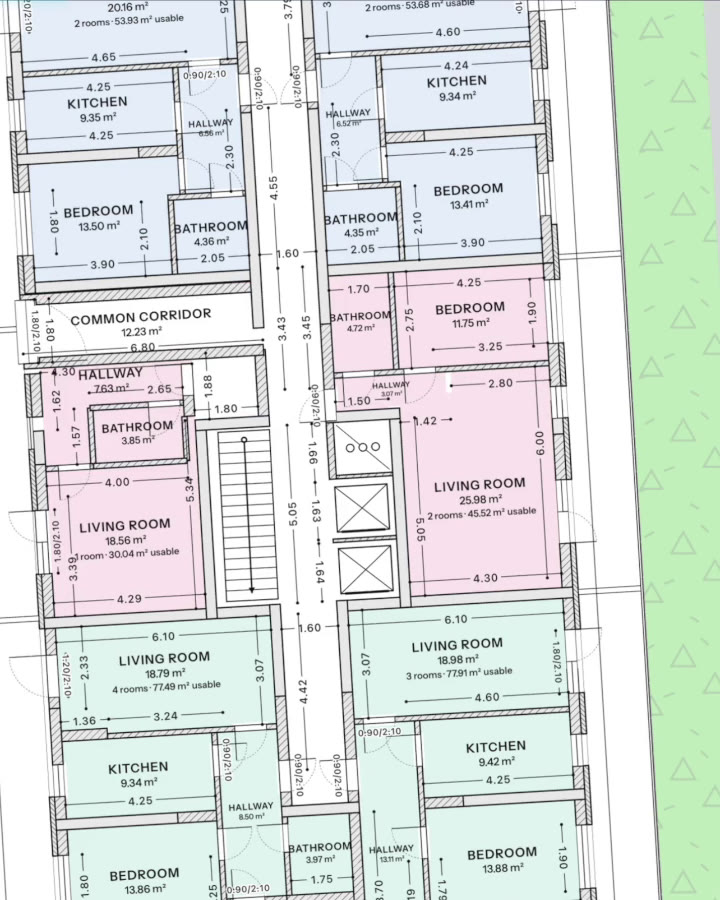
Brief it the way you brief your team.
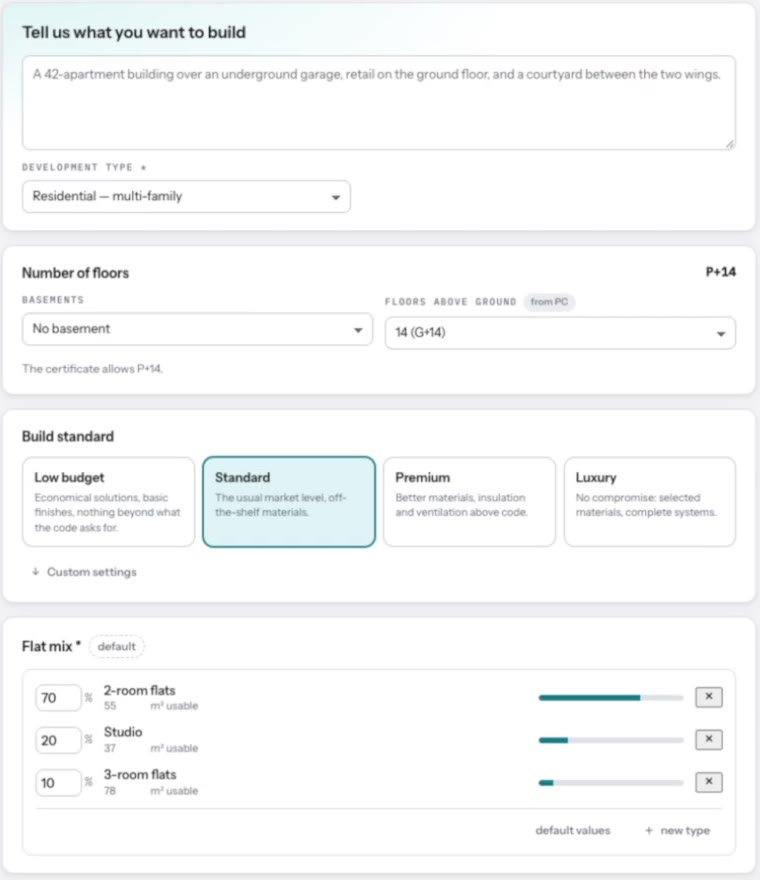
Start from a blank plot or a finished concept. Every input is optional: what you leave open, the AI proposes; what you set, it keeps.
A massing sketch
Draw the volumes you have in mind on the plot, as a bar, an L or a U, and the site plans are searched around them.
A few sentences
Describe the character, the materials and the mood, and what must and must not happen.
References
Buildings, facades and materials you want this one to share something with.
Your apartment types
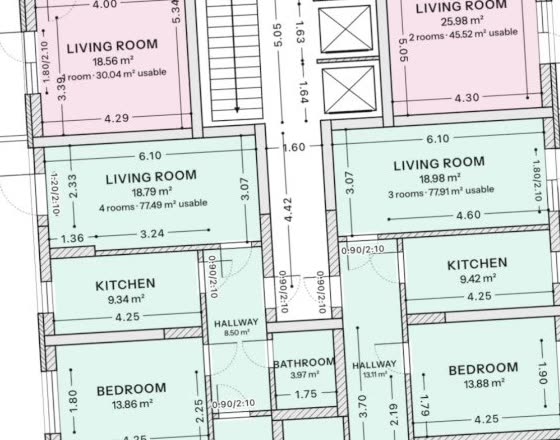
Upload a plan you like, even a photo of a drawing, and it becomes an apartment type in your office’s catalogue.
Authorship
What you draw stays drawn.
Your apartment types are used as drawn. Bring your own plans and the structure goes inside your walls without moving them. Your massing steers the site plan; nothing changes behind your back.
Facade
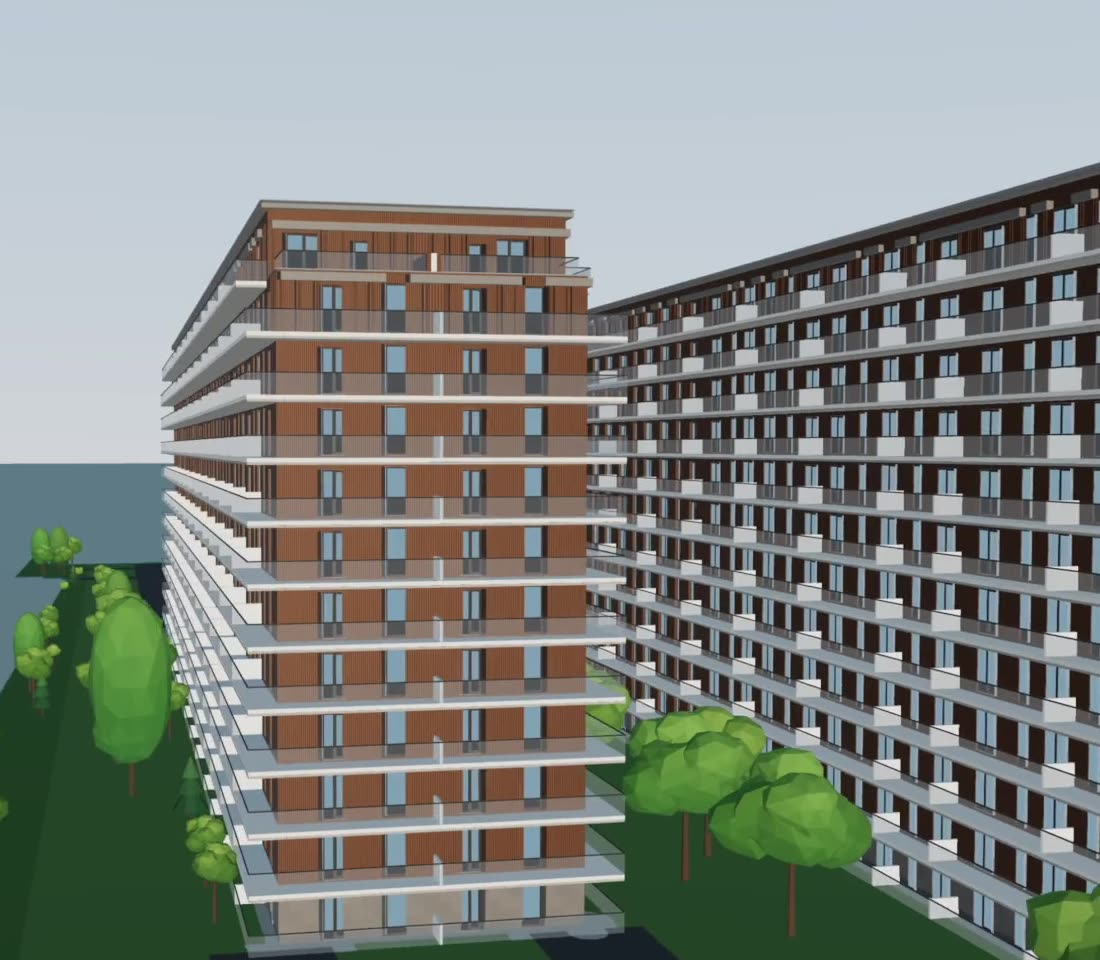
The facade is yours.
Design it as you wish: from references, from words or from your own drawings. The AI applies it to every elevation, keeps it consistent with the floor plans and prices it, so you can show the client what a change of material costs before they ask.
The assistant
Ask for a change. See what it costs.
Say it in words: deeper balconies, another material, a different mix on the top floor. The assistant makes the change across the plans, runs the checks and shows the cost next to the one before. A what-if scenario takes minutes, not a new round.
Compliance
Checked while you design, not at submission.
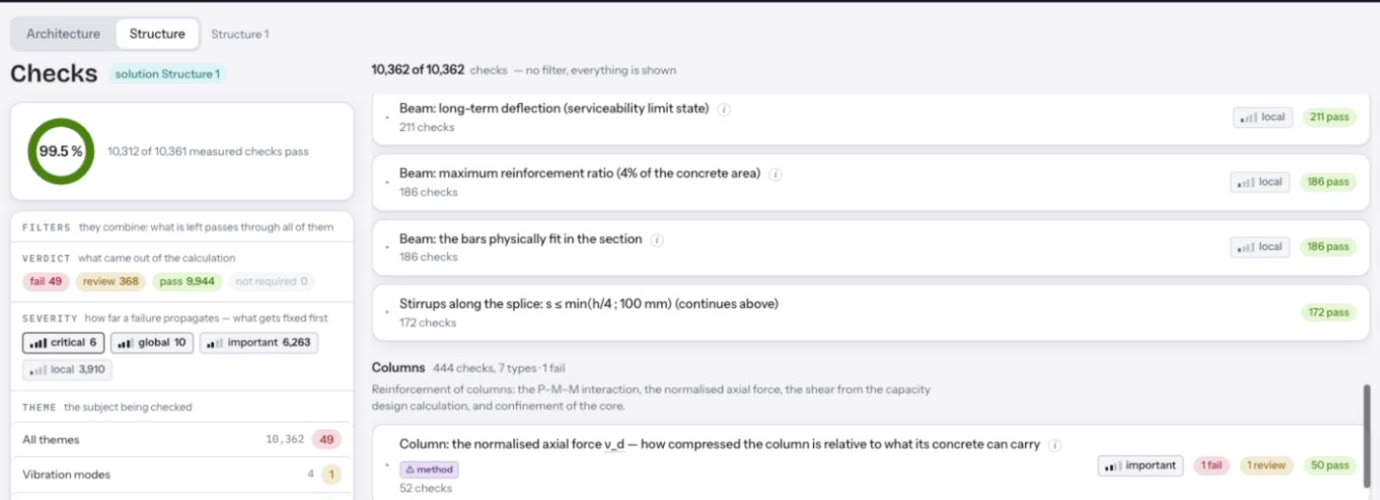
Coverage, density and distances update while you draw the massing. Every scheme then comes with its checks against the local rules, each with its clause. What your inputs cannot check yet is shown as open, not as passed.
Structure and basement
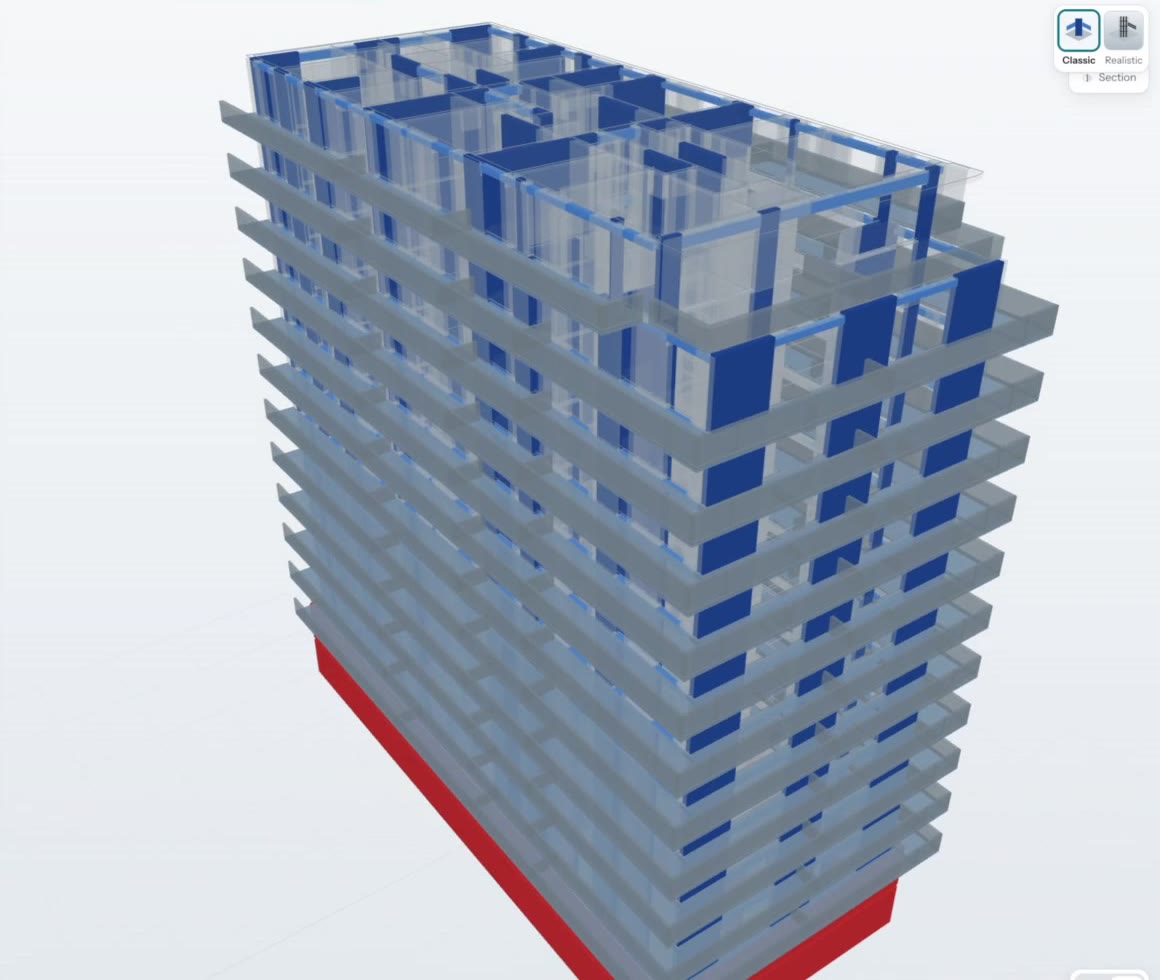
The engineering fits your plans.
Columns and walls go inside the walls you drew and on your axes. Parking, ramps and cores fit under your buildings; shaft space lines up floor to floor. The AI balances the disciplines for the cost to build and shows you each option, so the trade-offs are yours to make, not discovered on site.
The set
One coordinated set, ready for your signature.
Formwork and reinforcement drawings today; the permit drawings and the construction set assembled the way your authority expects them. Drawings download as DWG and DXF.
See what the set contains in each country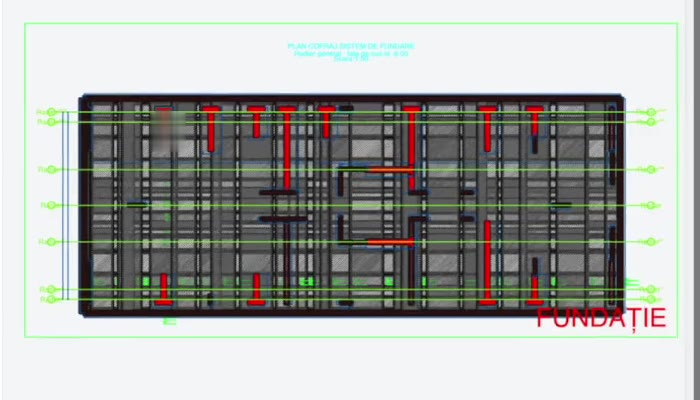
Questions architects ask.
Does this replace the architect?
No. You set the concept, you decide every change and you sign. The AI takes the hours you are rarely paid for: the feasibility studies drawn to win a commission, the area and distance checks, the back-and-forth with the structure.
Will it impose its own design?
No. Whatever you set, it keeps: your massing, your apartment types, your plans, your facade. It proposes only what you leave open, and you can redraw any of it.
Can I change things by hand?
Yes. Edit any floor in the plan editor, redraw the massing or pick another scheme, steer the facade in words. The plans that depend on a change are marked out of date; you run them again when you are ready.
Which formats go in and out?
In: plans as DWG, DXF or layered vector PDF, photos of apartment plans, reference images, and land documents as PDF or Word. Out: drawings as DWG and DXF.
Who is liable for what I sign?
You are, as today. Optimus Build does not sign and does not take on your liability. It gives you the record: every check with its clause, every value with the document it came from, every assumption marked.
Does it respect my office standards?
Yes. Your apartment types, the core-and-apartment modules your office repeats, your references and your plans become the starting point, so the buildings look like your office’s work.

Bring your next concept.
Join the closed beta. Bring a concept and see every plan come back around it.